Test Your Cover on Amazon Before Publishing
See how your book cover performs against Amazon bestsellers before you publish. Free Chrome extension, results in 30 seconds.
CoverTest Pro is a free Chrome extension that lets you preview your book covers directly on Amazon search results before publishing. A/B test multiple designs against real bestsellers, simulate how your cover looks on mobile, and compare up to 10 competitors side by side so you publish with confidence, not guesswork.
Join early adopters optimizing their covers
Why the Cover Decides (Almost) Everything
It's not a slogan: it's what the data says about reader behavior.
Real Case: Tricia O'Malley
The bestselling author tested five cover versions with BookBub Ads. The click-through rate jumped +53% and downloads of the first volume grew +40% in a few weeks.
"The plot hadn't changed a single word. Only what readers saw first had changed."
Source: BookBub InsightsThe cover is the first (and often only) contact with the reader. Test it before publishing.
Every Day, 3,000 New Books Are Published on Amazon
Those 3 seconds when a reader decides whether to click or scroll away.
Is your cover ready for this battle?
Everything You Need to Test Better
Tools designed by authors for authors. Zero technicalities, maximum results.
A/B Testing on Amazon
Remember when you uploaded your cover and prayed it would work? Now you can see all variants AMONG Amazon bestsellers before publishing. Place it there, scroll, look at it, and decide calmly.
- Preview in real Amazon context
- Compare with bestsellers in your category
- Zero risk, test before publishing
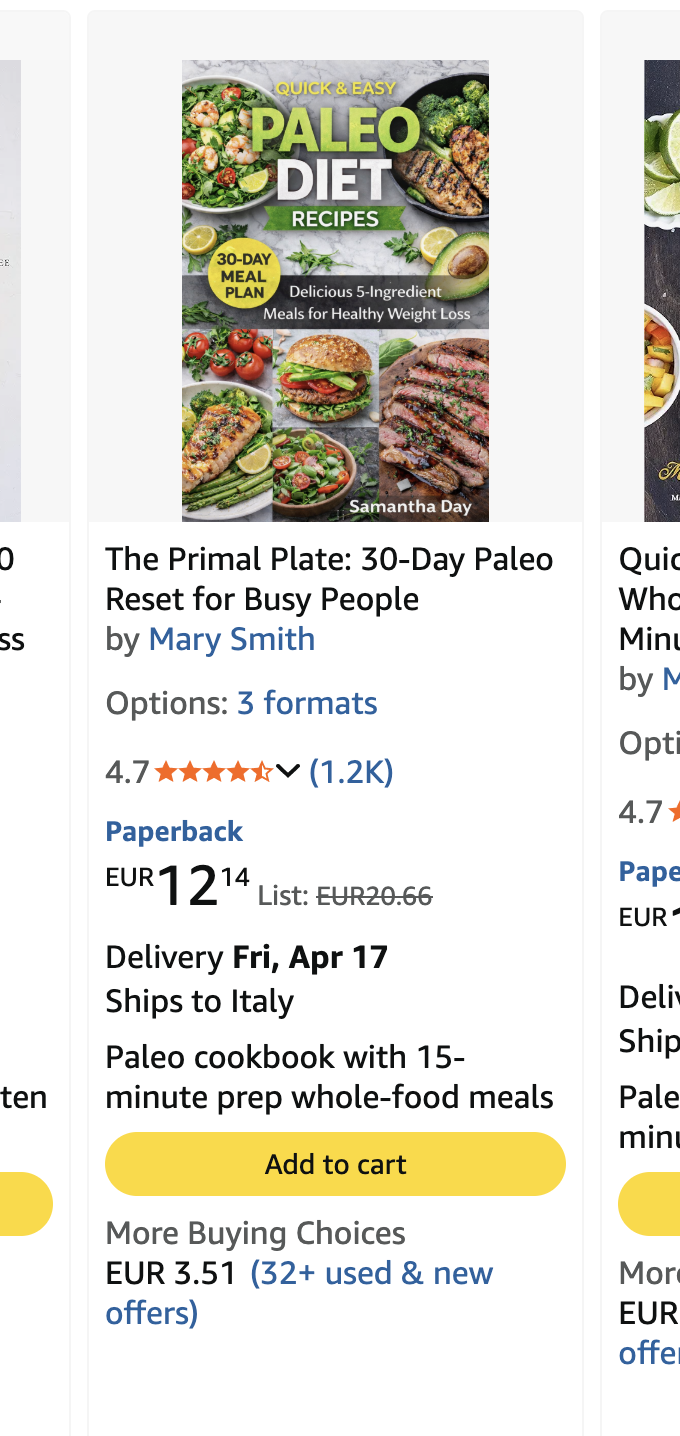
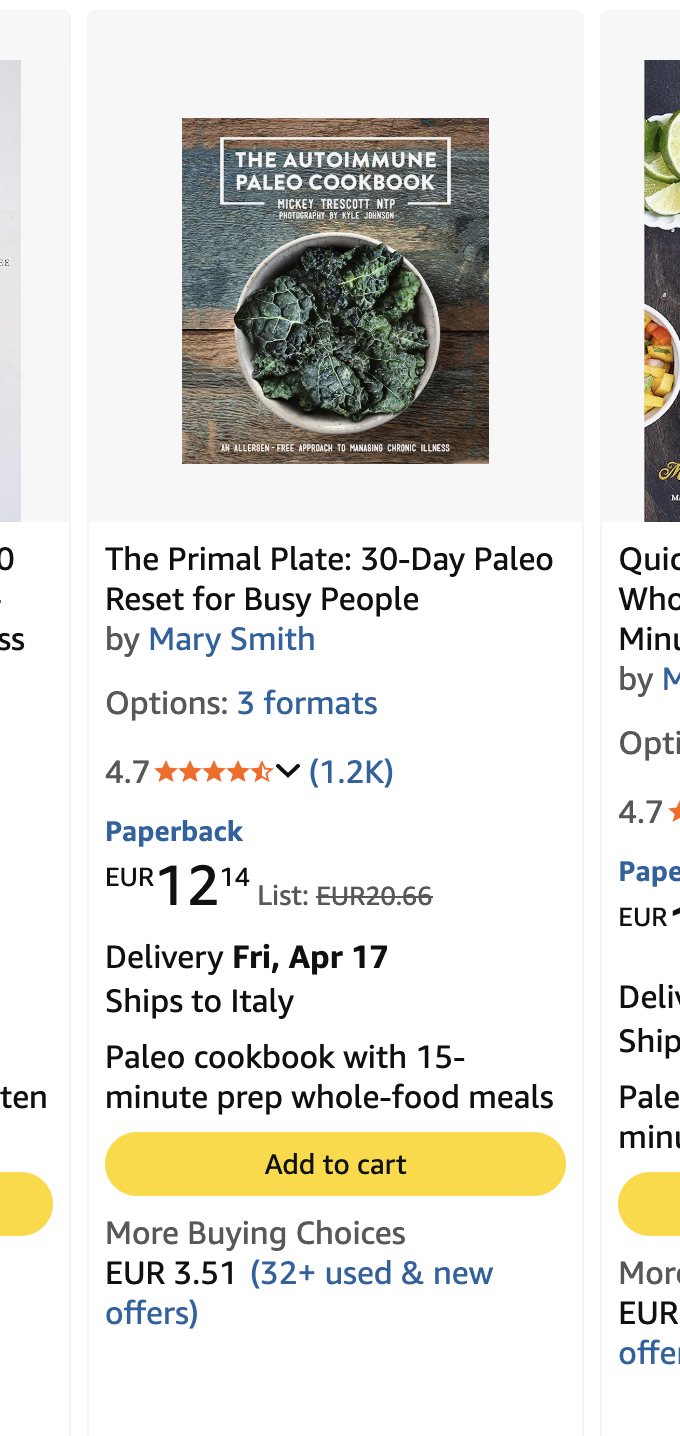
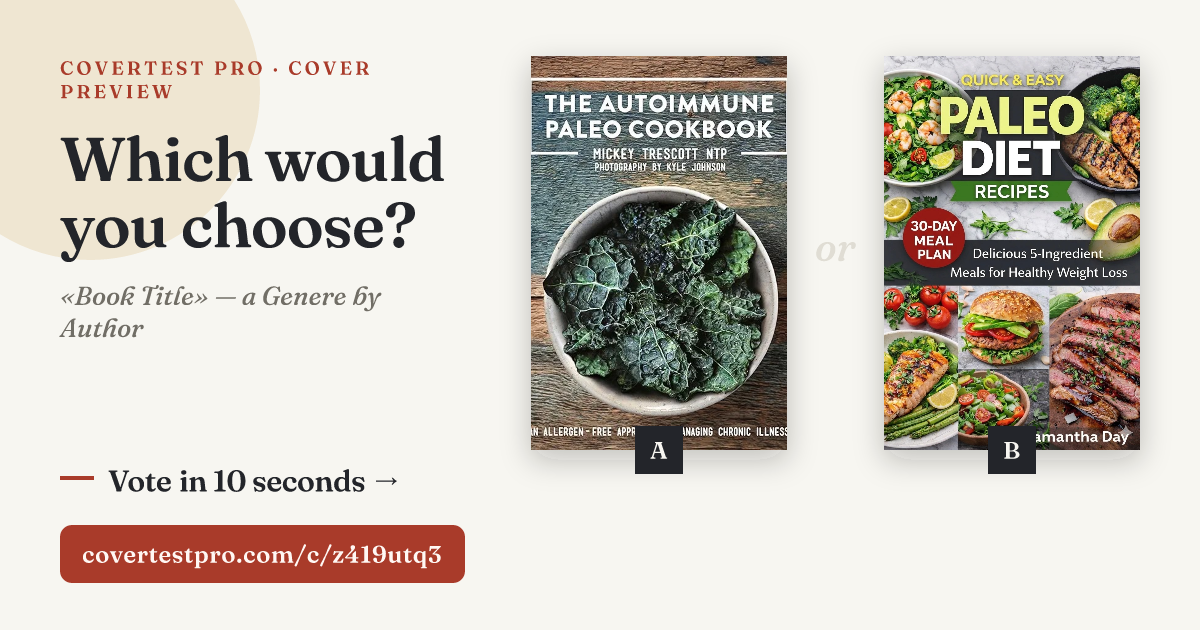
Preview Link: Let Real Readers Pick Your Cover
You've tested your cover against bestsellers. But when it's between your two finalists, who decides: you, your designer, or fate? Generate a shareable link, drop it in your Facebook groups, newsletter or reader community, and let beta readers vote. They see your covers simulated in real Amazon dimensions: search results, product page, related carousel, even full print wraparound, and pick the one that wins.
- Compare up to 3 cover versions, side by side
- Voters need zero signup: open link, vote, done
- Anonymous votes, objective data. Only you see the counts
- Optional questions per version for qualitative feedback
Compare 10 Competitors
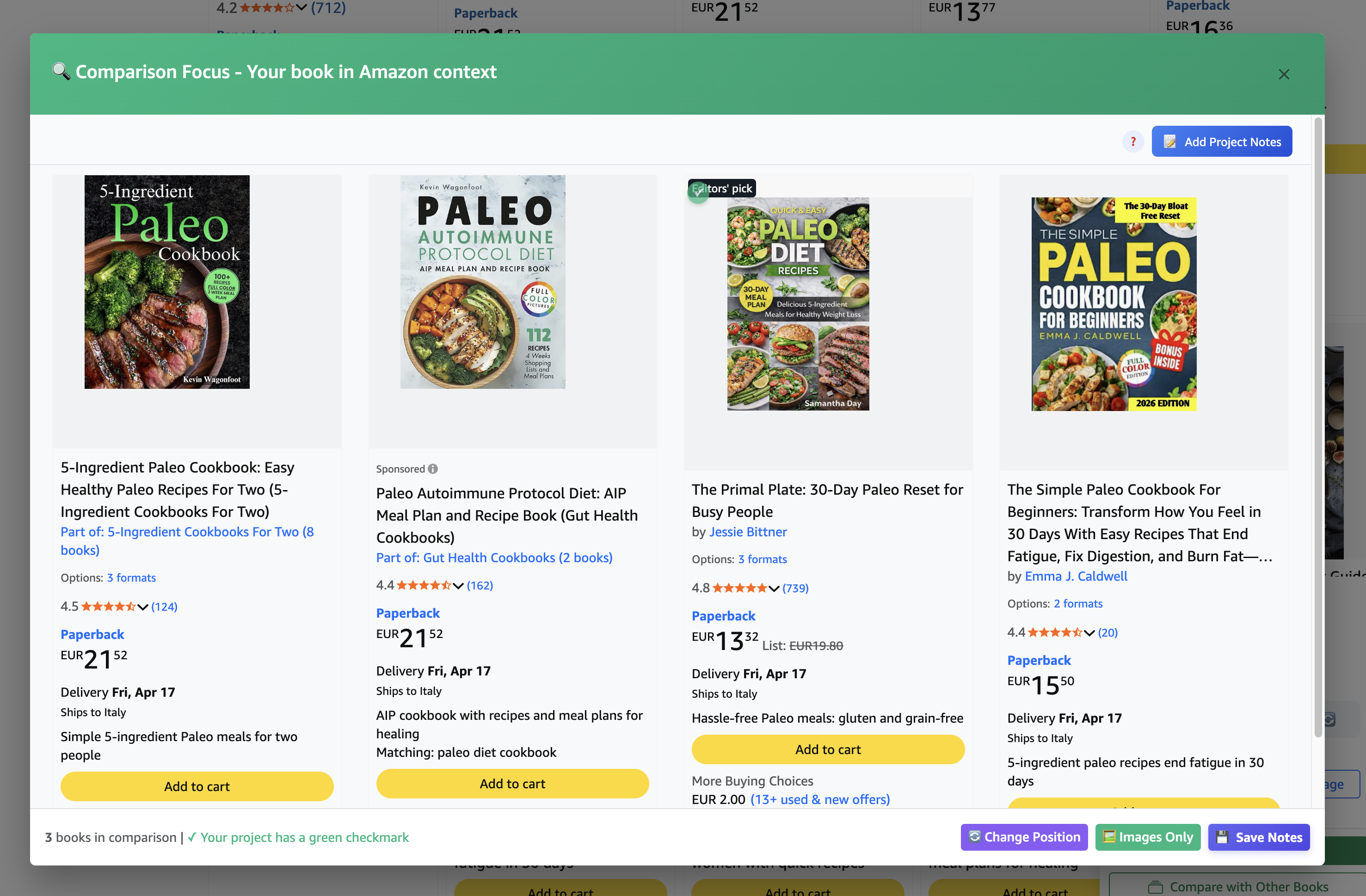
Place your cover next to your category rivals. In two seconds you understand if you're winning or if you need to go back to the designer.
- Place up to 10 covers side by side
- See differences at a glance
- Data-driven decisions, not intuitions
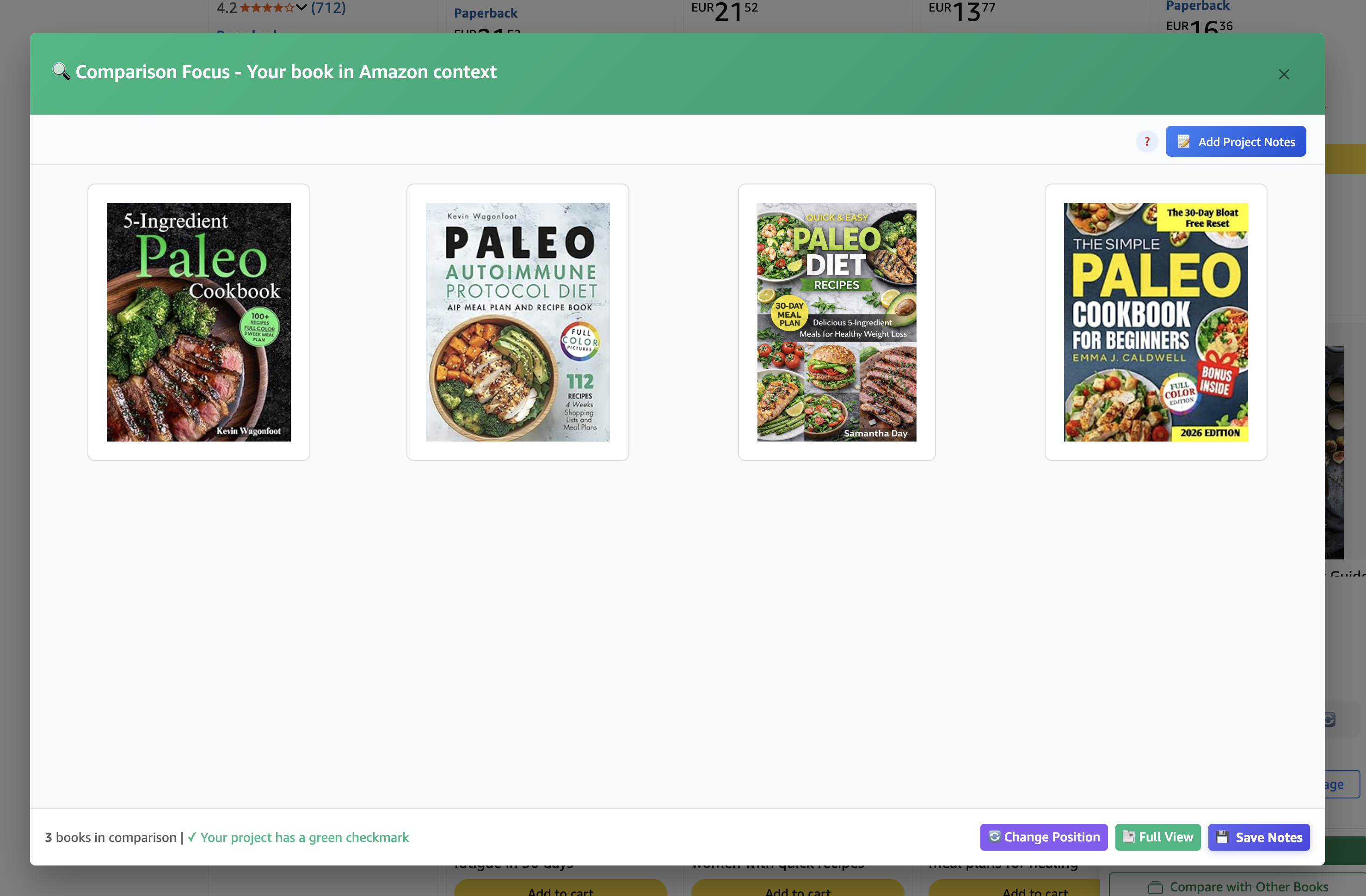
Amazon App Simulator
70% of readers buy from their phone. With one click you see exactly how your cover appears in the Amazon app. Realistic miniaturization, no post-publication surprises.
- Faithful emulation of Amazon app
- Miniaturized cover as readers see it
- Test before publishing
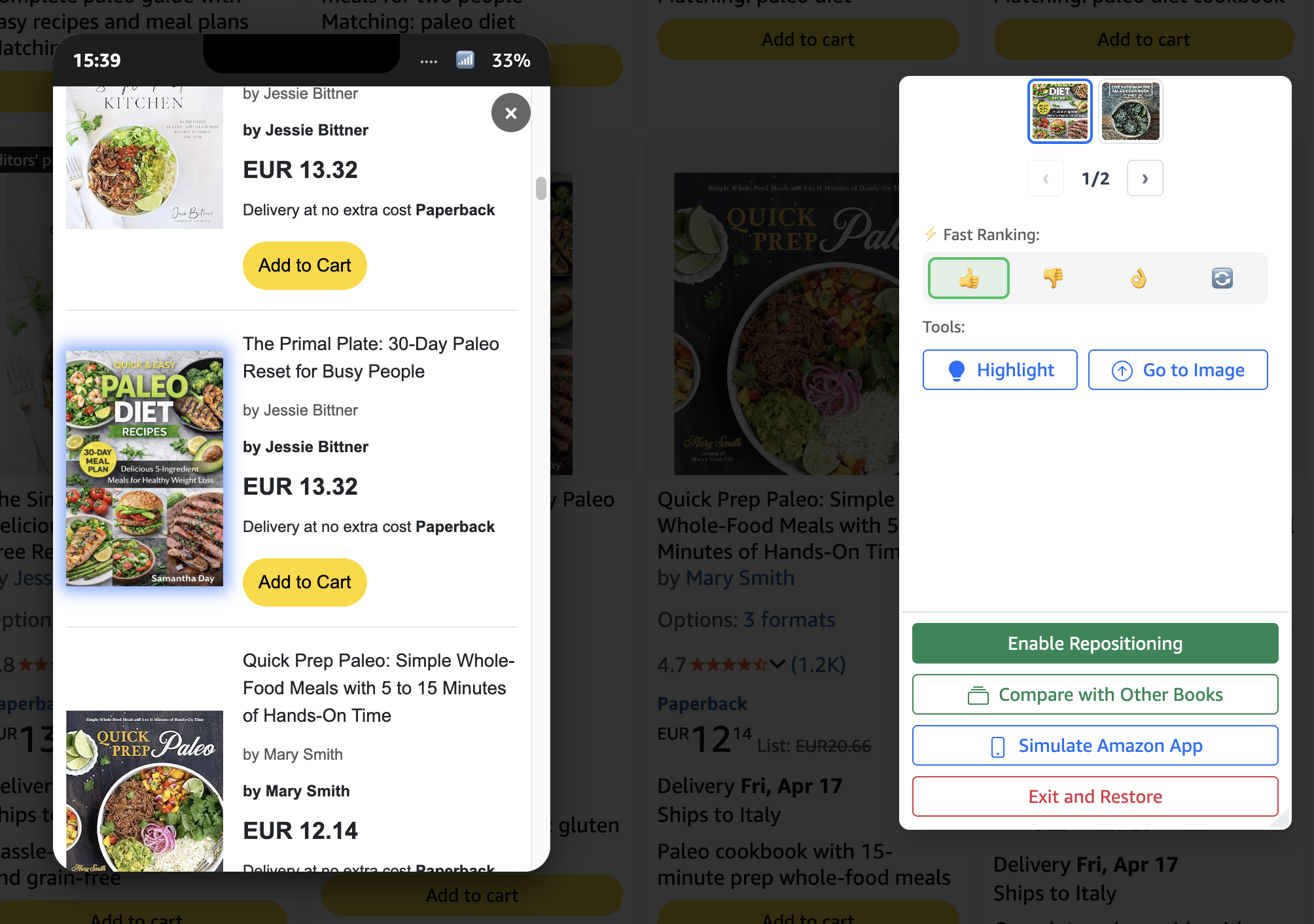
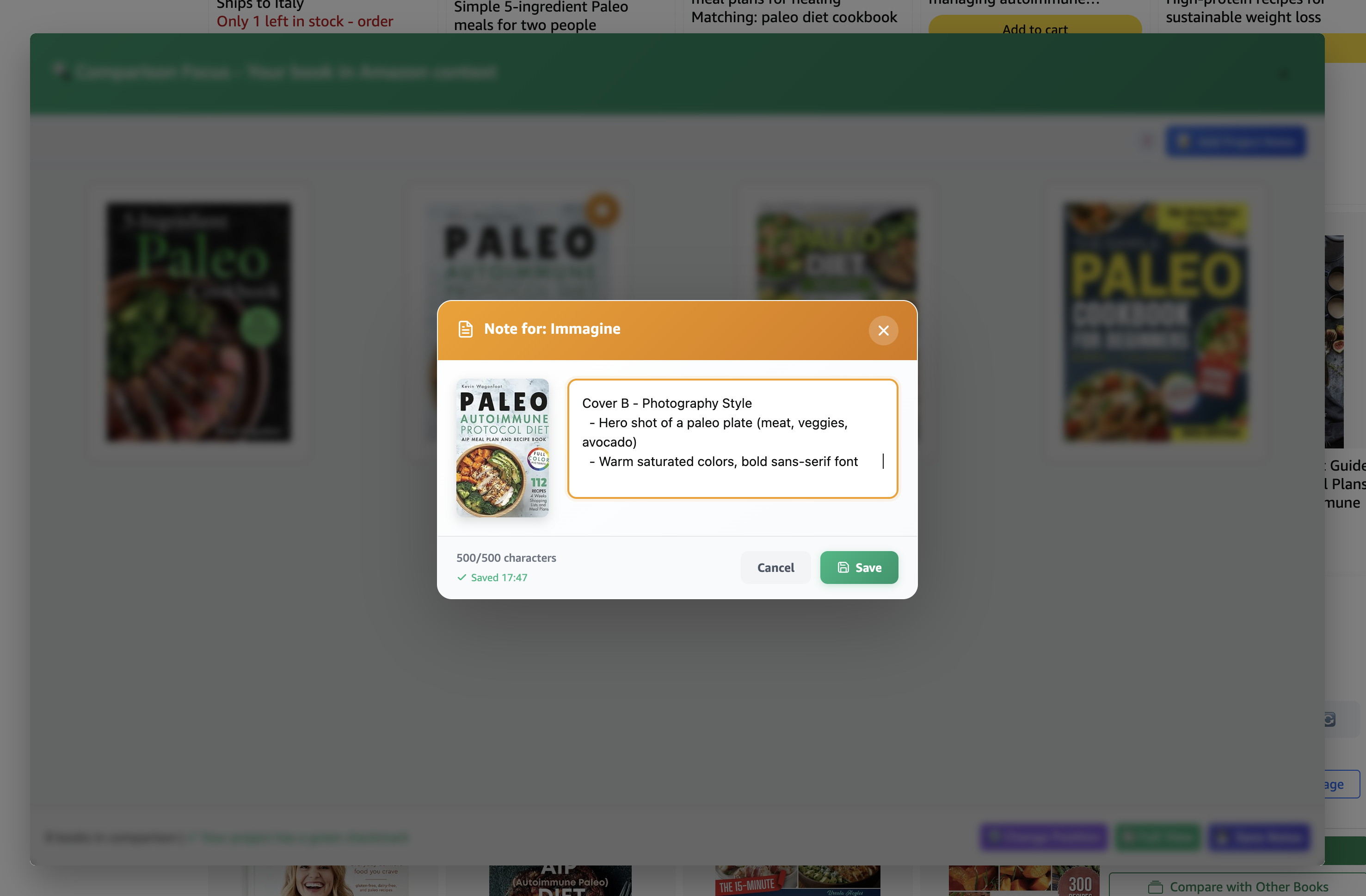
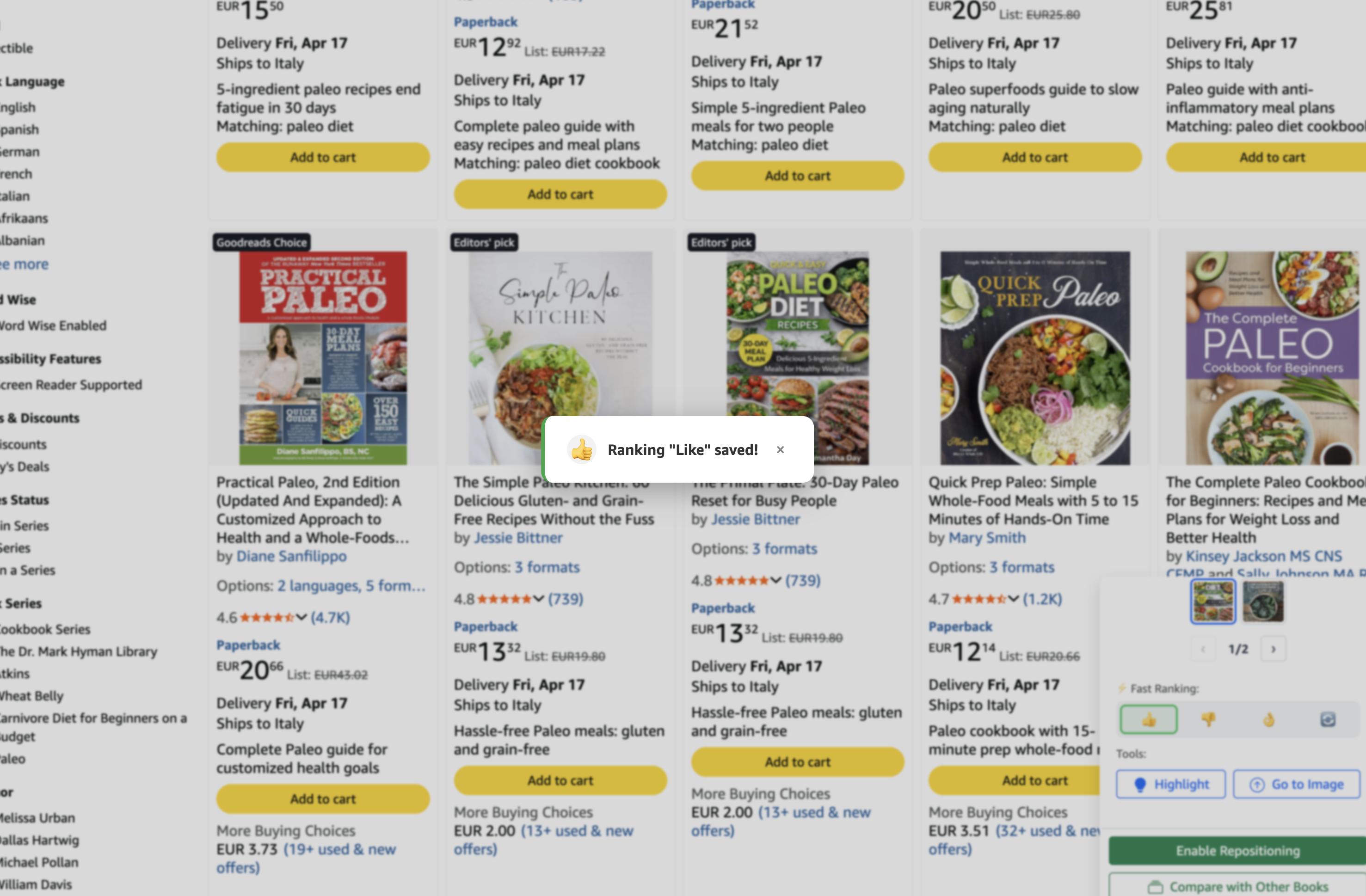
Notes & Rankings
Like your favorite covers, write notes on what to change, upload multiple versions and do A/B testing of versioning, annotate comparisons. The entire storyline always visible.
- Like and rank favorite covers
- Notes on covers, versions and comparisons
- Decision history always visible
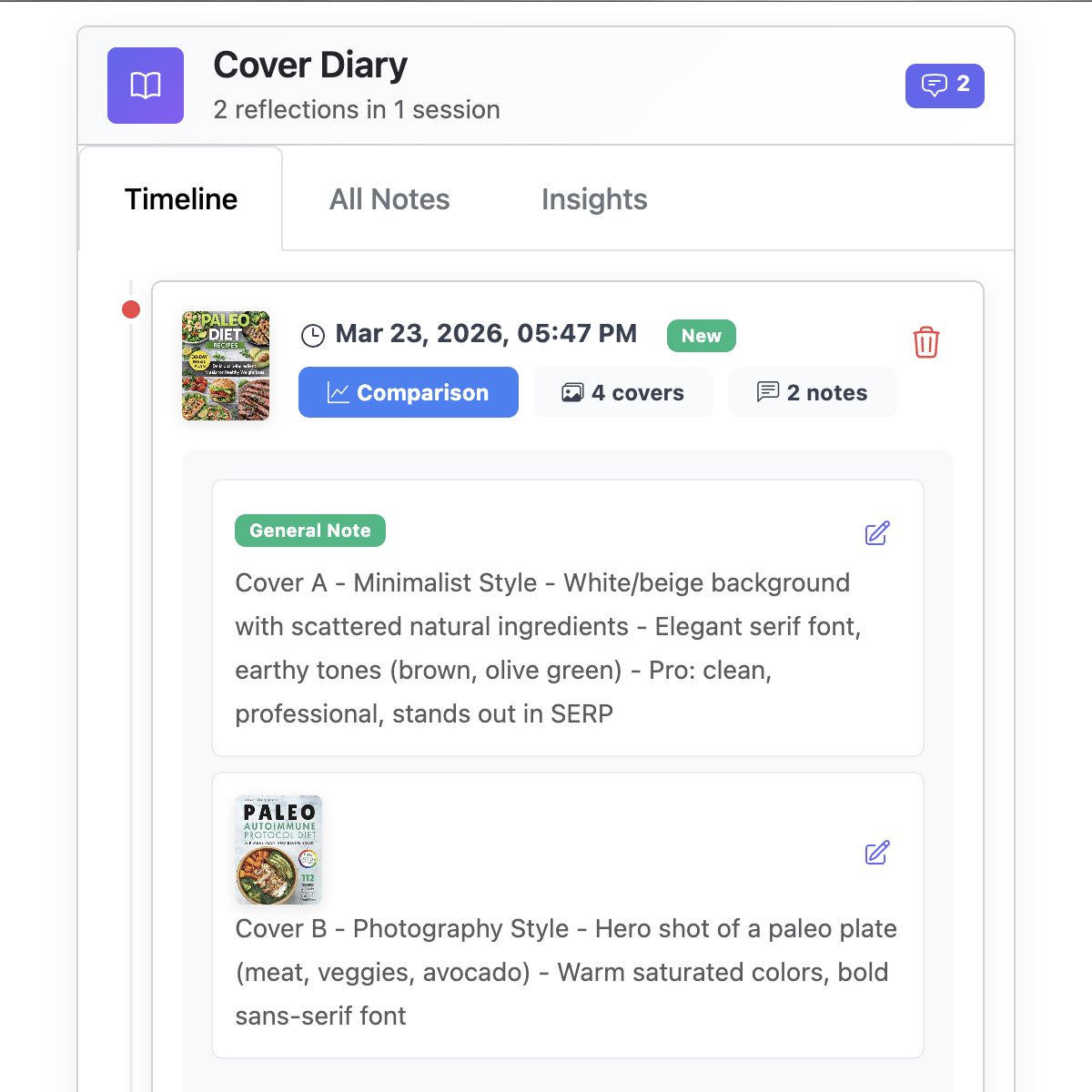
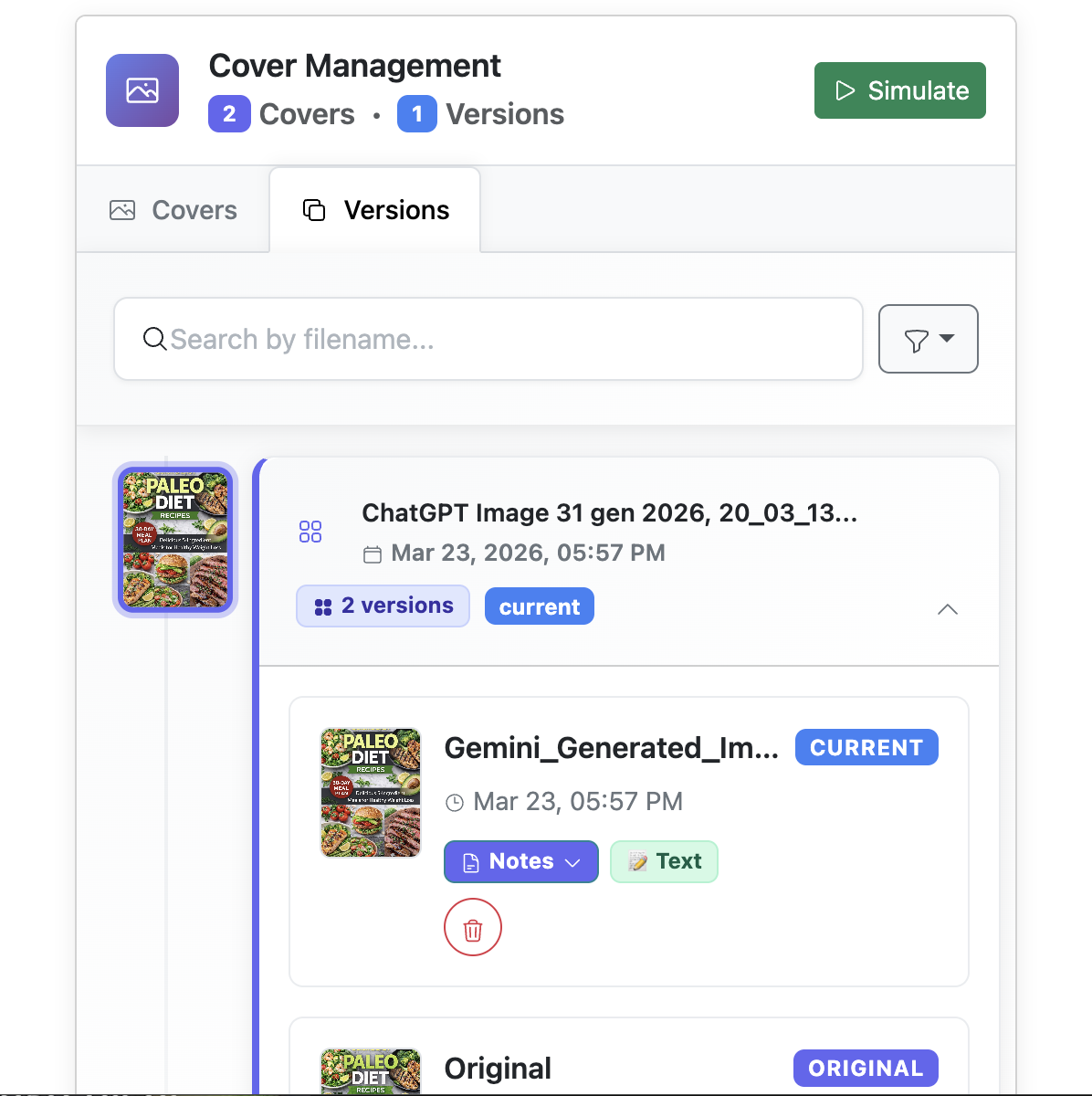
Versions Without Chaos
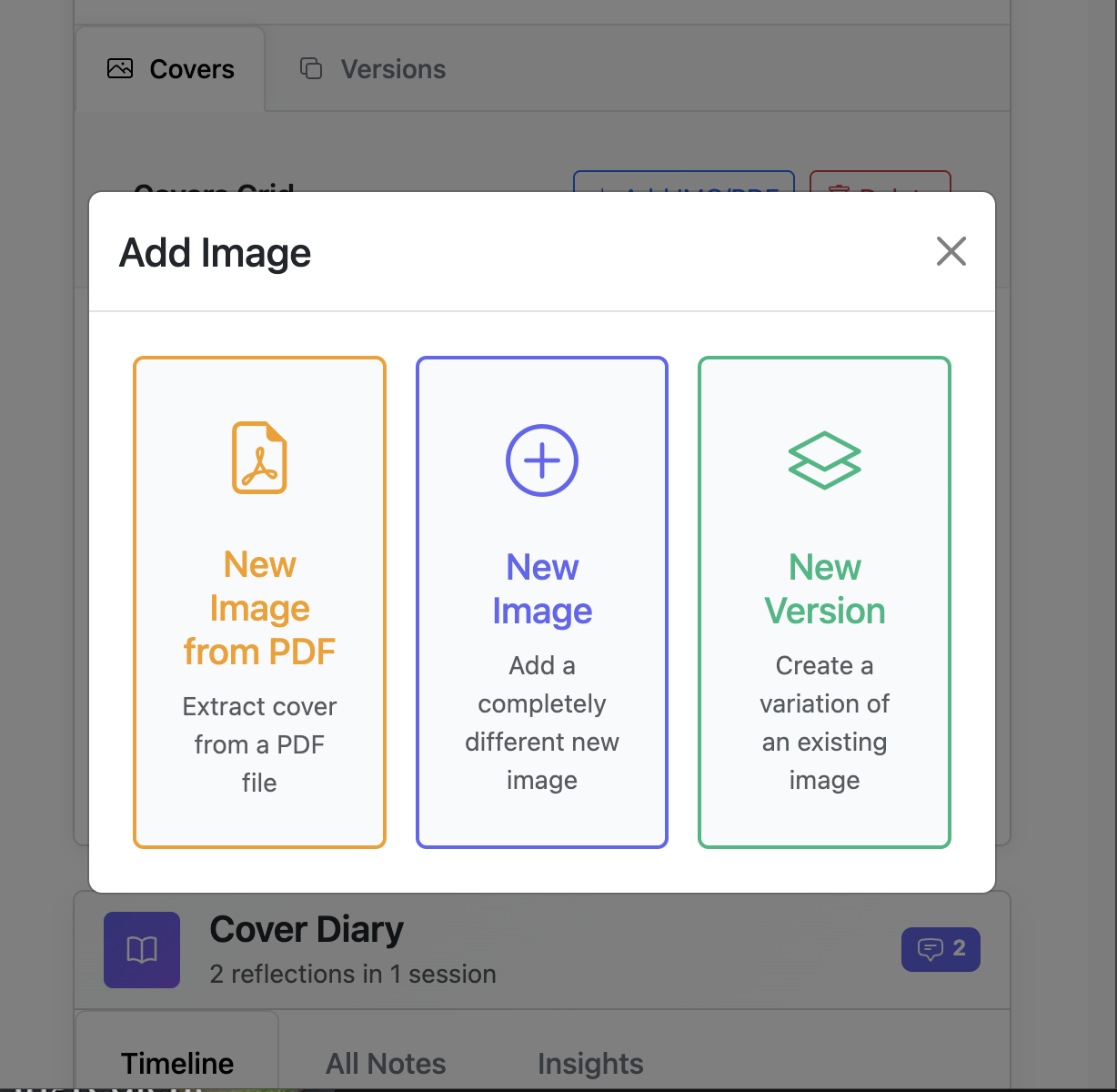
No more "cover_final_v3_this_one_really.jpg". All versions organized in timeline, go back with one click.
- Automatic chronological timeline
- Side-by-side version comparison
- Notes and comments on each version
And Much More...
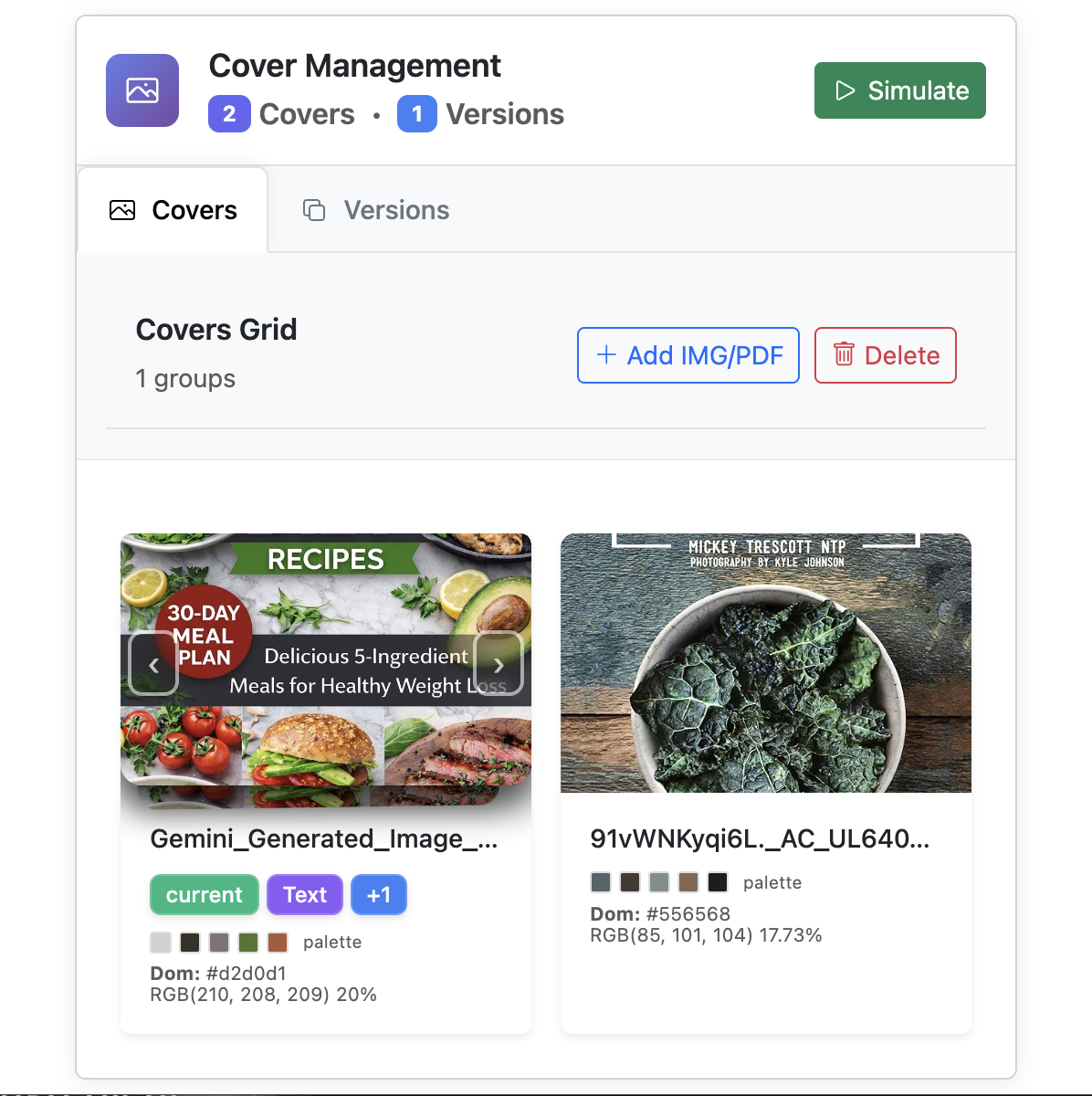
Modification Type Badge
Each version with tags: "color", "font", "layout"
Detail Zoom
Zoom in to see every detail
Color Analysis
Extract palette and verify contrasts
Project Dashboard
Advanced filters and organization
PDF Import
Upload directly from InDesign
Works Offline
Your data stays in the browser
Before CoverTest Pro
You Publish... and Cross Your Fingers
You upload the cover to Amazon hoping it works. Only later you discover it gets lost among competitors.
Money Wasted on Design
You pay hundreds for a designer... without knowing if the result will actually sell on the marketplace.
Disappointing Sales
The book doesn't take off. You modify after publication losing ranking, reviews and credibility.
With CoverTest Pro
See Before Publishing
Test infinite variants in real context. You know exactly how it will appear among bestsellers.
Data-Driven Decisions
A/B tests, color analysis, direct comparisons. No more intuitions: only concrete evidence.
Launch with Confidence
You publish knowing you have the optimal cover. More clicks, more sales, more success.
"I spent hundreds on a 'professional' cover. It was beautiful... in the designer's portfolio. On Amazon, among 50 similar thrillers, it was completely invisible."
Unlock Your Full Potential
Be among the first authors to test their covers before publishing.
Get in now at launch price — it will go up to $69.99 soon.
Free
Premium Lifetime
Pay once. Use forever. No subscriptions.
Ready to Test Your Next Cover?
Join hundreds of authors who stopped guessing and started testing. The difference shows in sales.
Not ready yet? No problem.
Get notified when new features launch — join authors who stay ahead of the curve.
Zero spam. Unsubscribe anytime.
30-Day Money-Back Guarantee
If CoverTest Pro doesn't improve the way you test your covers, we'll give you a 100% refund. No questions, no hassle.
Frequently Asked Questions
Everything you need to know about CoverTest Pro
How can I test my book cover before publishing on Amazon?
With CoverTest Pro you install a free Chrome extension (30 seconds), upload your covers with drag & drop, open Amazon and click "Simulate". Your cover appears among real bestsellers so you can see exactly how it looks in context — before you publish.
Does book cover design really affect sales?
Yes — studies show 57% of readers buy a book based on the cover alone (ThriftBooks/OnePoll 2023), and 80% are attracted first by the cover (Pandamonium Publishing). A/B testing your cover before publishing lets you pick the design that drives the most clicks.
Is it safe to test book covers with a Chrome extension?
100% safe. CoverTest Pro stores everything locally in your browser. No servers, no cloud, no upload of your covers. Your images never leave your computer. We collect zero data about your projects or tests.
Can I test book covers on international Amazon marketplaces?
Yes. CoverTest Pro works on 22 Amazon marketplaces worldwide: Amazon.com, .co.uk, .de, .fr, .it, .es, .ca, .com.mx, .com.br, .nl, .se, .pl, .com.be, .com.tr, .ae, .sa, .eg, .in, .co.jp, .sg, .com.au and .cn. If Amazon sells books in a country, you can test your cover there.
How do I preview my book cover on mobile before publishing?
CoverTest Pro includes an Amazon App Simulator that emulates iPhone and Android devices. You see exactly how your cover appears miniaturized on readers' phones — where 70% of book purchases happen.
What are the limits of the free and Premium plans?
The free plan lets you create 1 project with up to 5 cover uploads and 5 simulations per day (then 1/day). The Premium Lifetime plan ($29.99 one-time) removes all limits: unlimited projects, covers, simulations, and up to 10 competitor comparisons side by side.
What is book cover color analysis and why does it matter?
CoverTest Pro uses a professional K-means algorithm to extract the dominant color palette from your cover and calculate WCAG contrast ratios. This helps you ensure your cover stands out in crowded Amazon search results.
What happens if Amazon changes its website layout?
We monitor Amazon continuously and release fixes as quickly as possible to keep CoverTest Pro always working. The extension is regularly updated to adapt to any layout changes. You can also report any anomalies directly to our support team.
How much does CoverTest Pro cost?
CoverTest Pro has a free plan to get started, and a Premium Lifetime plan at $29.99 (one-time payment, no subscription). The Premium plan includes unlimited projects, covers, tests, mobile simulator, and notes. 30-day money-back guarantee included.
Who is CoverTest Pro for?
CoverTest Pro is built for self-publishing authors, publishers, book cover designers, and anyone selling books on Amazon who wants to make data-driven decisions about cover design instead of guessing.
How do I get reader feedback on my book cover before publishing?
With Preview Link you pick up to 3 cover versions, generate a shareable link, and send it to your Facebook groups, newsletter or beta readers. They see your covers simulated in real Amazon dimensions: search results, product page, related carousel or full print wraparound, and vote for the one they prefer. You collect objective data instead of guessing.
Do voters need to create an account to vote on my covers?
No. Voters just open the link, look at the simulated covers, answer any optional questions, and vote. No signup, no password. Votes are anonymous on their side; only you see the counts. To create a preview, you only need an email address (no password) to "sign" it and find it later.
What results do I see from a Preview Link?
In your project's Previews tab you get visits and votes per preview, a results bar with percentages and the winning version, an event timeline (creation, first share, vote milestones, expiry), aggregate stats across previews, and a downloadable results card to share or archive. Free links last 5 days with up to 2 versions; Premium unlocks a 3rd version and 10/30-day or never-expiring links.
Your Data Stays Yours
Everything stays in your browser. No servers, no cloud, no upload of your covers. 100% privacy.
Local Storage
All data saved in the browser, on your computer
Zero Upload
Your covers never leave your device
No Tracking
We don't collect data about your projects or tests